Choosing the right WordPress theme can make or break your website’s success. With thousands of options available, it’s easy to get overwhelmed and pick a theme that looks good but fails to deliver on performance, SEO, or user experience. In this guide, we’ll walk through the essential dos and don’ts when choosing a WordPress theme, helping you avoid common mistakes and make smarter decisions. Whether you’re a beginner blogger or building a professional site, understanding these practical tips will ensure your theme not only looks great but also supports your long‑term goals.
The Importance of Choosing the Right WordPress Theme
Selecting the right WordPress theme is more than just a design choice — it directly impacts your website’s performance, user experience, and search engine rankings. A well‑optimized theme ensures faster loading times, mobile responsiveness, and compatibility with essential plugins, all of which are crucial for SEO success. On the other hand, a poorly coded theme can slow down your site, hurt visibility, and frustrate visitors. By choosing a reliable and professional WordPress theme, you set the foundation for a website that not only looks appealing but also supports long‑term growth and higher search traffic.
The Dos When Choosing a WordPress Theme
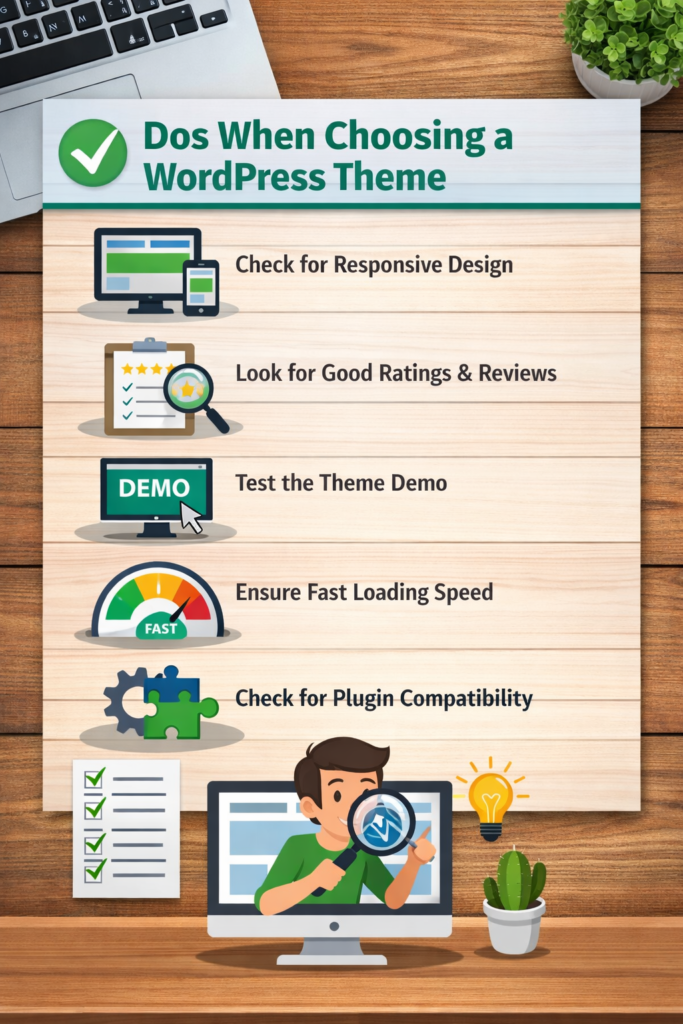
Choosing the right WordPress theme such as BlogLamp starts with understanding what makes a site functional and appealing. Always check for responsive design, fast loading speed, and plugin compatibility before making a decision. Testing demos and reading reviews can save you from future headaches and help you build a website that looks great on every device.
1. Do Consider the Purpose of Your Website
In 2026, choosing a WordPress theme that matches your website’s purpose is essential for building a site that truly works for you. Each theme is designed with different goals in mind — some focus on flexibility, others on simplicity or content presentation. TheTwenty Twenty‑Fourtheme is a versatile option, offering a modern block‑based design that adapts well to business sites, portfolios, and blogs. Meanwhile, the BlogLamp theme is tailored for content creators, providing a clean, reader‑friendly layout that highlights articles and improves engagement. By considering your site’s purpose before selecting a theme, you ensure that your design supports your goals, whether that’s professional branding, storytelling, or audience growth.
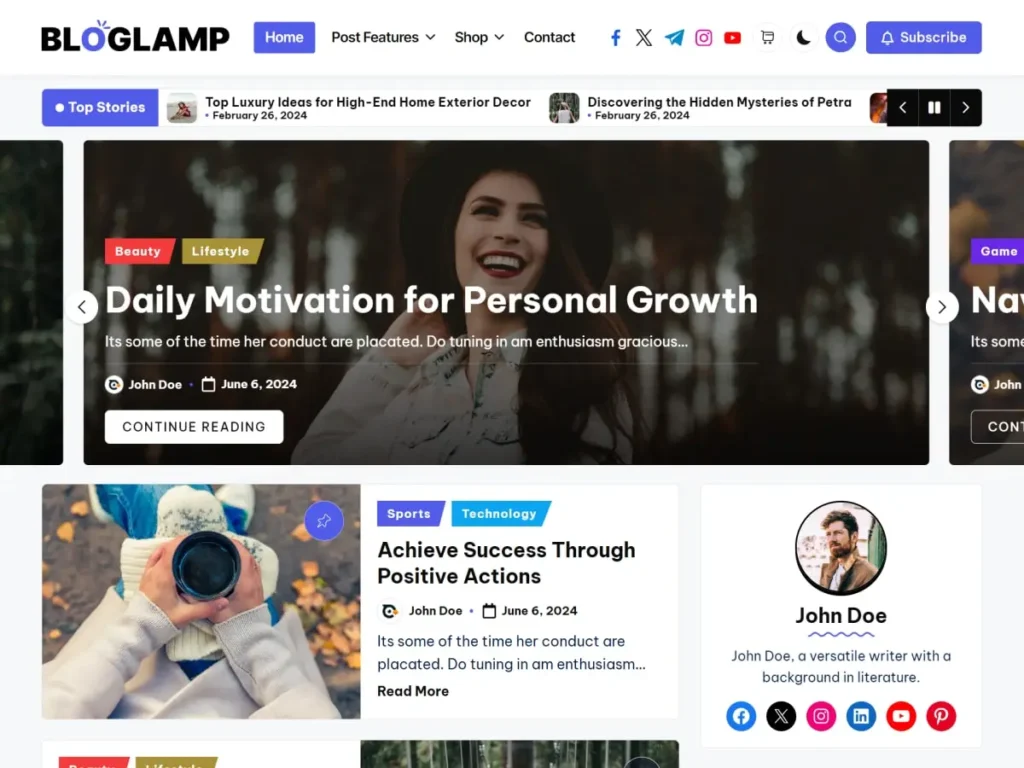
BlogLamp Theme Screenshot
2. Do Opt for a Responsive Design
A responsive WordPress theme ensures your website looks great on any device, whether desktop, tablet, or mobile. In today’s digital world, most visitors browse on their phones, so a theme that adapts smoothly improves user experience and boosts SEO rankings. Choosing a responsive design helps you reach a wider audience and keeps your site professional and accessible.
Why is this important?
A responsive WordPress theme ensures your website looks great on any device, whether desktop, tablet, or mobile. In today’s digital world, most visitors browse on their phones, so a theme that adapts smoothly improves user experience and boosts SEO rankings. Choosing a responsive design helps you reach a wider audience and keeps your site professional and accessible.
3. Do Choose a Lightweight and Fast WordPress Theme
A responsive WordPress theme ensures your website looks great on any device, whether desktop, tablet, or mobile. In today’s digital world, most visitors browse on their phones, so a theme that adapts smoothly improves user experience and boosts SEO rankings. Choosing a responsive design helps you reach a wider audience and keeps your site professional and accessible.
How to Evaluate a Theme’s Speed:
Speed is one of the most important factors when choosing a WordPress theme, because a slow site can hurt both user experience and SEO rankings. To evaluate theme speed, start by testing the demo site with tools like Google PageSpeed Insights or GTmetrix — these will show how quickly the theme loads and highlight performance issues. Check if the theme uses optimized code, minimal scripts, and lightweight design elements. You can also compare loading times across different devices to ensure consistency. A fast theme not only keeps visitors engaged but also improves your chances of ranking higher in search results.
4. Do Check for SEO-Friendly Feature
An SEO‑friendly WordPress theme gives your site a strong foundation for ranking higher in search results. While design and speed matter, built‑in SEO features ensure your content is discoverable and optimized from the start.
✅ Clean and Optimized Code
Themes with clean coding help search engines crawl your site more effectively, improving visibility and reducing technical issues.
✅ Fast Loading Times
Search engines prioritize websites that load quickly. A lightweight theme with optimized scripts ensures better performance and higher rankings.
✅ Mobile Responsiveness
Google’s mobile‑first indexing means your theme must adapt seamlessly to different devices. Responsive design boosts both user experience and SEO.
✅ Schema Markup Support
Themes that support schema markup make it easier for search engines to understand your content, increasing chances of rich snippets in search results.
✅ Compatibility with SEO Plugins
Ensure your theme works smoothly with popular SEO plugins like Yoast SEO or Rank Math, giving you more control over optimization.
5. Do Check Browser Compatibility
A good WordPress theme should display consistently across all major browsers like Chrome, Firefox, Safari, and Edge. If your theme isn’t browser‑compatible, visitors may experience broken layouts or missing features, which can hurt credibility and user experience. Always test the theme demo on different browsers to ensure smooth performance and a professional look for every visitor.
6. Do Consider Customization Options
One of the biggest advantages of choosing the right WordPress theme is the ability to customize it according to your brand and audience. A theme with flexible customization options allows you to adjust colors, fonts, layouts, and widgets without needing advanced coding skills. This ensures your website reflects your unique identity and stands out from competitors while still maintaining a professional look.
Beyond design, customization also impacts functionality. Themes that support easy integration with plugins, page builders, and block editors give you more control over how your site works. Whether you want to add an online store, improve SEO, or create a personalized blog layout, having strong customization options means your theme can grow with your needs instead of limiting them. Take Astra for example.
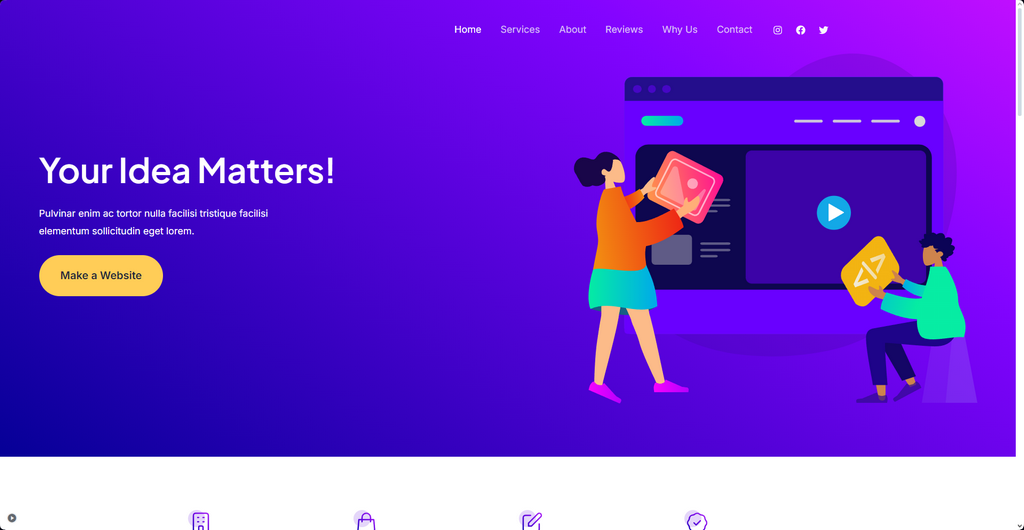
Customization Features to Consider:
🎨 Flexible Color & Font Options – Adjust branding elements like colors and typography to match your identity.
🖼️ Layout Control – Ability to change header, footer, sidebar, and page layouts without coding.
🔌 Plugin Integration – Smooth compatibility with popular plugins for SEO, e‑commerce, and security.
📱 Responsive Editing – Options to customize how your site looks on mobile, tablet, and desktop.
🧩 Widget & Block Support – Easy addition of widgets or Gutenberg blocks for dynamic content.
7. Do Read Reviews and Ratings
🎨 Flexible Color & Font Options – Adjust branding elements like colors and typography to match your identity.
🖼️ Layout Control – Ability to change header, footer, sidebar, and page layouts without coding.
🔌 Plugin Integration – Smooth compatibility with popular plugins for SEO, e‑commerce, and security.
📱 Responsive Editing – Options to customize how your site looks on mobile, tablet, and desktop.
🧩 Widget & Block Support – Easy addition of widgets or Gutenberg blocks for dynamic content.
The Don’ts when Choosing a WordPress Theme
Introduction
Selecting the right WordPress theme is one of the most critical decisions when building a website. While many guides focus on what you should do, it’s equally important to understand the common mistakes to avoid. Choosing the wrong theme can lead to poor performance, weak SEO, frustrated visitors, and wasted time. In this comprehensive guide, we’ll explore the don’ts when choosing a WordPress theme, helping you steer clear of pitfalls and make smarter decisions for your site in 2024 and beyond.
❌ Don’t Ignore Performance and Speed
- Heavy themes with bloated code slow down your site.
- Visitors expect fast loading times — delays increase bounce rates.
- Google prioritizes speed in its ranking algorithm. 👉 Always test theme demos with tools like Google PageSpeed Insights or GTmetrix before committing.
❌ Don’t Overlook Mobile Responsiveness
- More than half of web traffic comes from mobile devices.
- A theme that isn’t responsive will frustrate users and hurt SEO.
- Mobile‑first indexing by Google makes responsiveness non‑negotiable. 👉 Check demos on multiple devices to ensure smooth layouts.
❌ Don’t Choose Based on Looks Alone
- A beautiful design doesn’t guarantee functionality.
- Themes must balance aesthetics with usability, speed, and SEO.
- Many flashy themes hide poor coding practices. 👉 Prioritize performance and compatibility over just visual appeal.
❌ Don’t Ignore SEO‑Friendly Features
- Themes without clean code or schema markup can harm rankings.
- Poor compatibility with SEO plugins limits optimization.
- Missing alt‑tag support or heading structure weakens content visibility. 👉 Look for themes that support Yoast SEO, Rank Math, and schema markup.
❌ Don’t Forget Browser Compatibility
- A theme may look perfect in Chrome but break in Safari or Edge.
- Inconsistent layouts reduce trust and credibility. 👉 Test across major browsers before finalizing your choice.
❌ Don’t Overload with Features You Don’t Need
- Extra sliders, animations, and widgets add unnecessary weight.
- Many features can be added later via plugins. 👉 Choose a lightweight theme that focuses on essentials.
❌ Don’t Skip Reviews and Ratings
- User feedback reveals hidden issues like bugs or poor support.
- High ratings with consistent positive comments indicate reliability. 👉 Always read reviews before downloading or purchasing a theme.
❌ Don’t Ignore Customization Limitations
- Some themes lock you into rigid layouts.
- Lack of customization restricts branding and growth. 👉 Ensure your theme offers flexible options for colors, fonts, and layouts.
❌ Don’t Neglect Plugin Compatibility
- Themes must work smoothly with essential plugins (SEO, security, e‑commerce).
- Poor compatibility can break site functionality. 👉 Test integration with popular plugins before committing.
❌ Don’t Forget Regular Updates and Support
- Outdated themes pose security risks.
- Lack of updates means poor compatibility with new WordPress versions. 👉 Choose themes backed by active developers and strong support.
❌ Don’t Choose Free Themes Without Research
- Not all free themes are reliable.
- Some may lack updates, support, or proper coding. 👉 Stick to trusted sources like the official WordPress repository.
❌ Don’t Ignore Licensing and Legal Issues
- Using nulled or pirated themes can expose your site to malware.
- It also violates copyright laws. 👉 Always download from official or reputable marketplaces.
❌ Don’t Forget Accessibility
- Themes should be usable by all, including people with disabilities.
- Accessibility boosts SEO and user trust. 👉 Look for themes that follow WCAG guidelines.
❌ Don’t Skip Testing the Demo
- Demos reveal real performance and usability.
- Skipping this step can lead to surprises after installation. 👉 Always interact with the demo before purchase.
❌ Don’t Choose Without Considering Your Purpose
- A blog theme may not suit an e‑commerce store.
- Themes must align with your site’s goals and audience. 👉 Match your theme to your niche and long‑term vision.
Conclusion
Choosing a WordPress theme is about more than design — it’s about performance, SEO, usability, and long‑term growth. By avoiding these common don’ts, you’ll save yourself from costly mistakes and build a site that’s fast, responsive, and professional. Remember: a theme is the foundation of your website. Make sure it’s strong, reliable, and aligned with your goals.